Draw the fence. FencSync does the rest.
Trace the fence line on a satellite map and get the post counts, materials list and a priced quote in minutes. Send it for approval, then schedule the install and stage the shop from the same job.
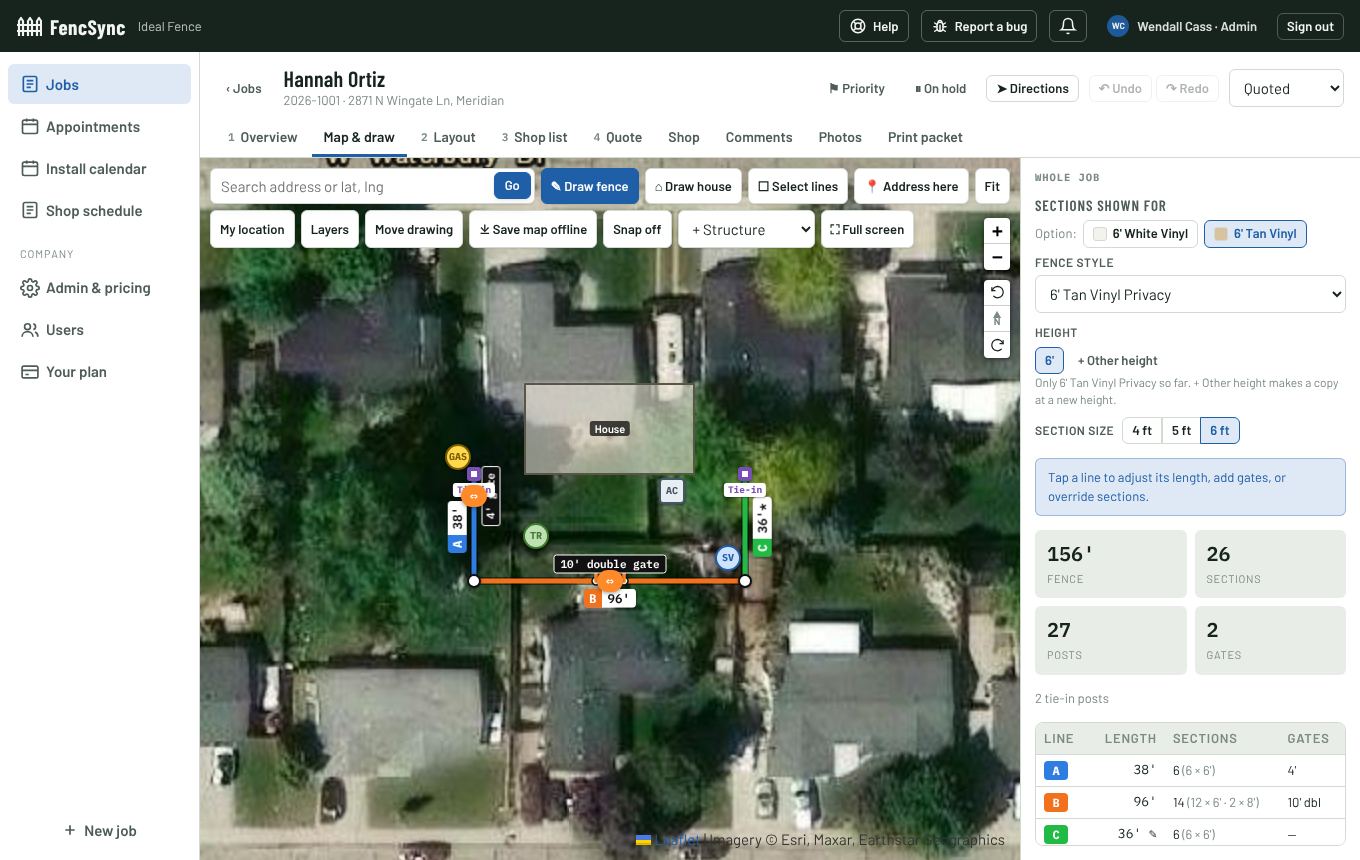
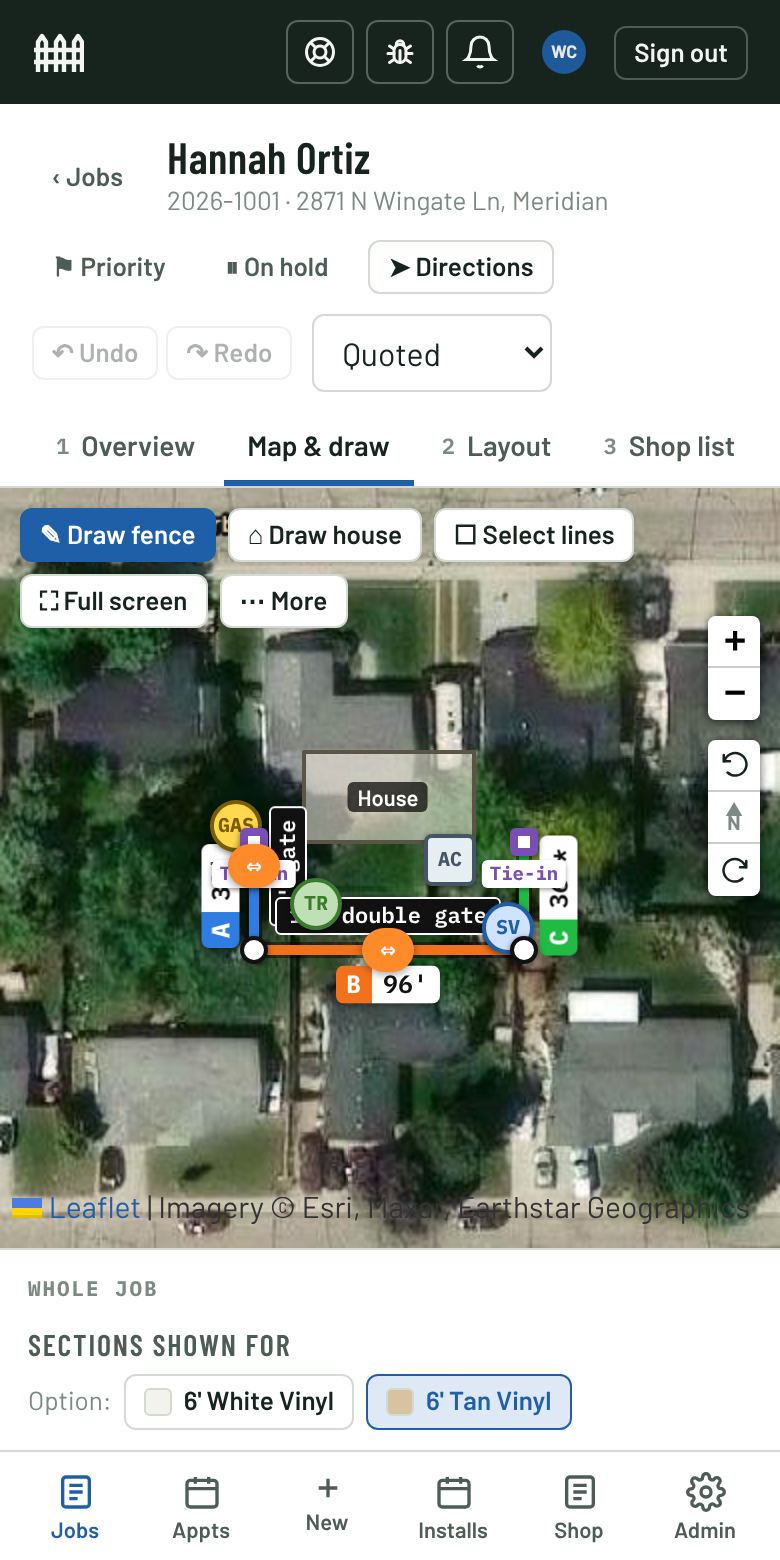
- Minutes, not hoursQuote while you're still in the driveway
- Exact countsPosts, panels, gates, caps and concrete
- One job recordSales, office, shop and crews on the same page
- Works offlineKeep drawing with no service
Fence quoting and job management, built for how fence companies work
FencSync replaces the measuring wheel notes, the spreadsheet and the whiteboard with one drawing that feeds everything after it.
Measure fence lines on a satellite map
Click along the property to draw each run. FencSync snaps to the house, shows the length of every line, and places corner, end, line and gate posts at your section width.
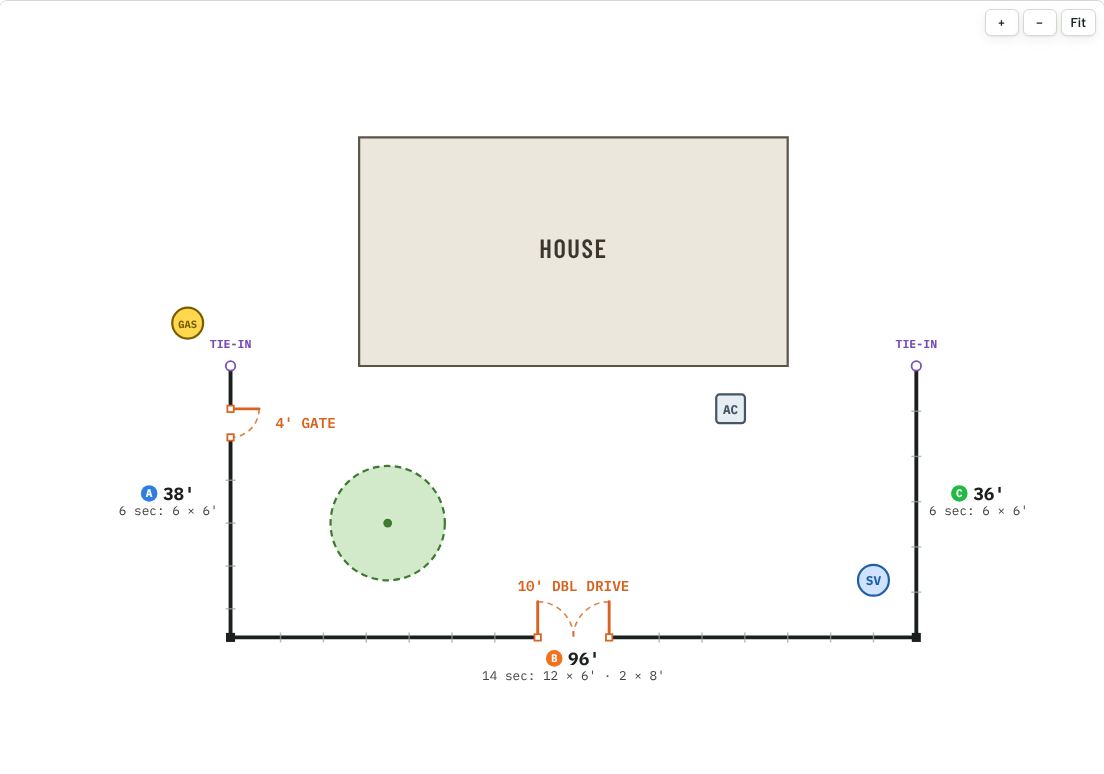
- Single, double and drive gates, cut-in or on the line
- Tie-ins to existing fence, houses, trees and utilities marked
- Different styles or heights per line, and removal footage
- A clean layout diagram for the customer and the crew
Priced quotes with options your customer can approve online
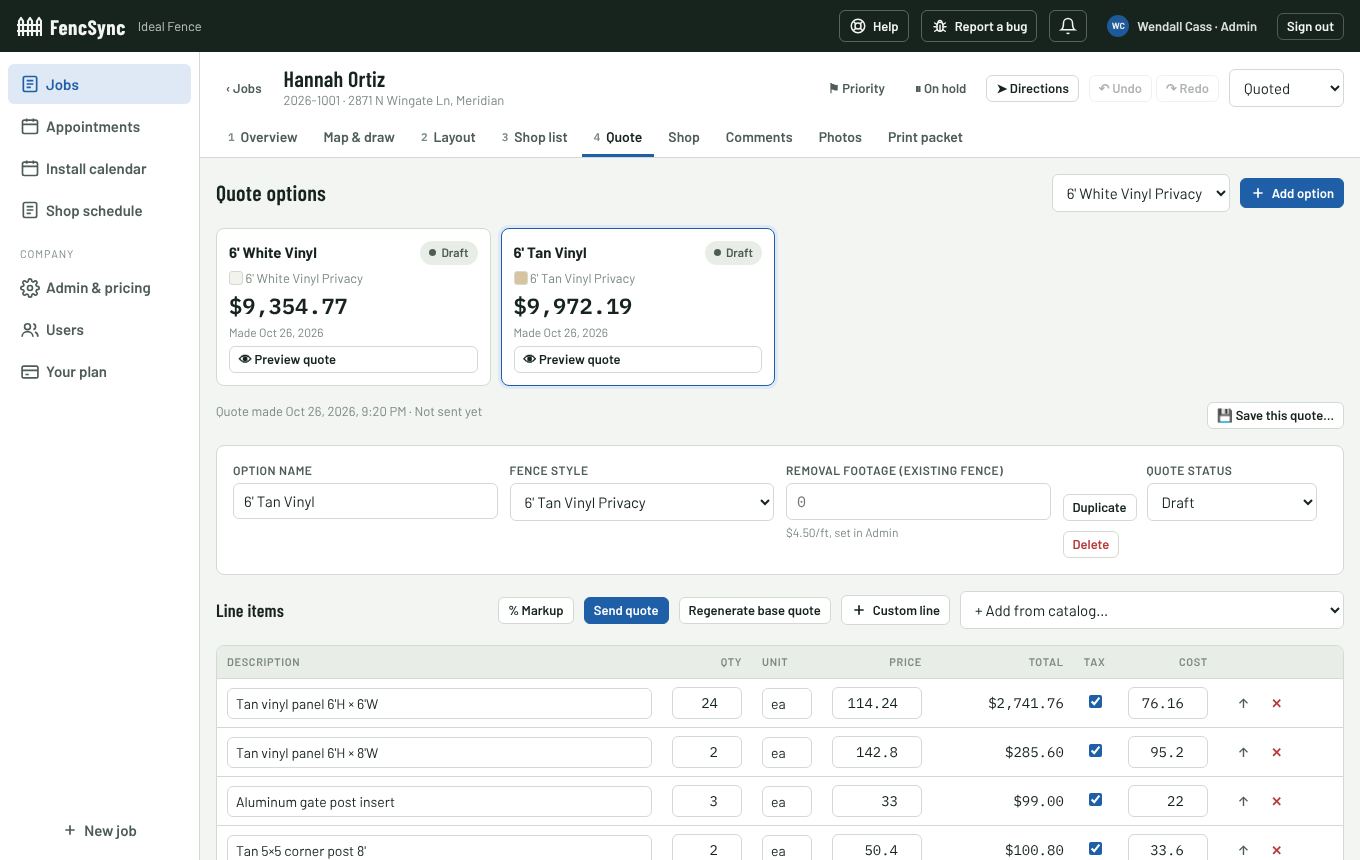
Your prices, your markup. Give the customer a white vinyl and a tan vinyl option side by side, add custom lines or catalog items, and send a secure link they can accept from their phone.
- Fence styles, heights and prices from your own price book or a CSV
- Markup per quote or per line, with cost and margin always visible to you
- Split a shared fence line with a neighbor, each with their own quote
- Saved quote versions, and sent quotes are locked
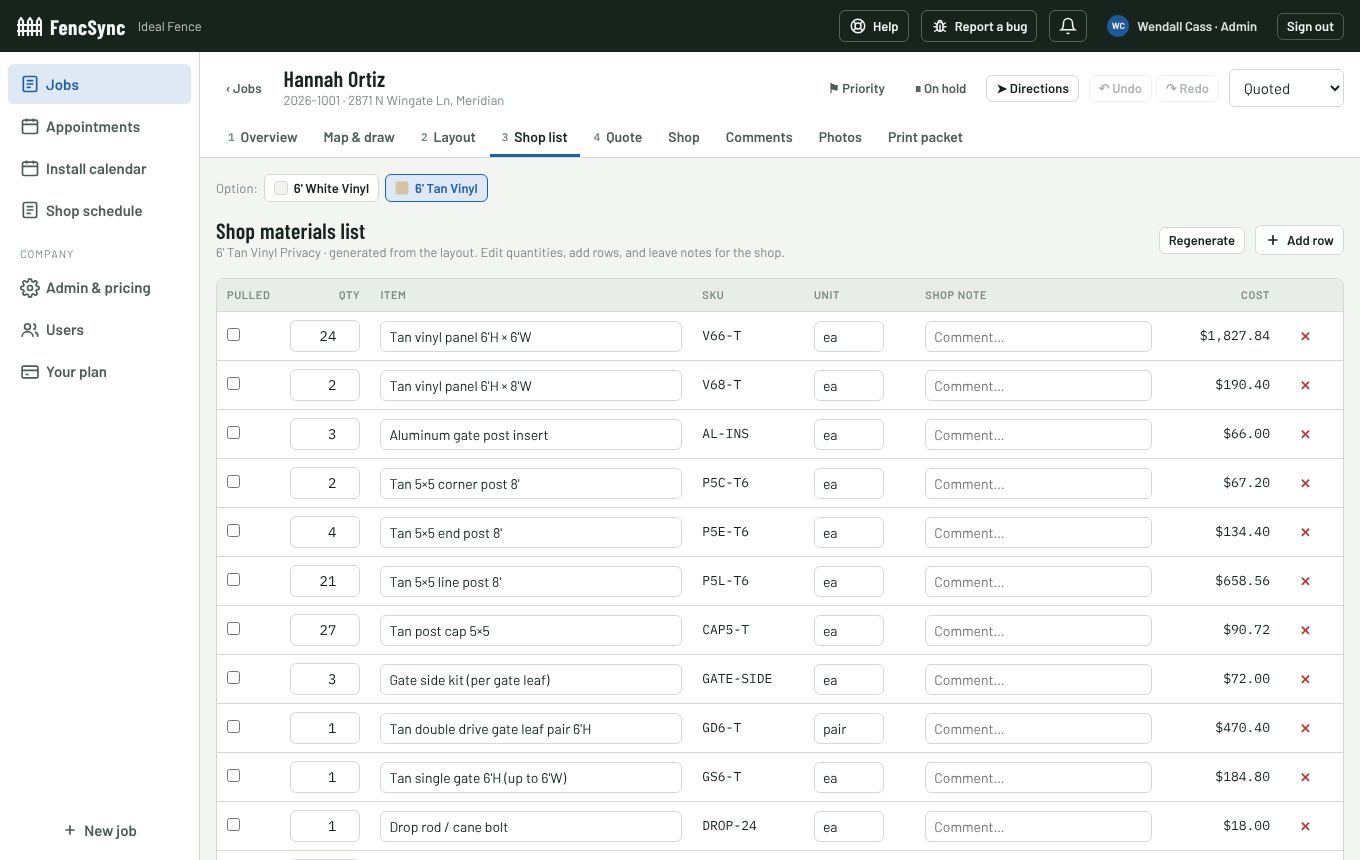
The shop list writes itself
Every panel, post, cap, insert, gate kit and bag of concrete comes straight from the drawing, with SKUs and costs. The shop checks items off as they're pulled and stages the job by install day.
- Shop schedule for posts and infill, day by day
- Notes for the shop on any line
- Print a full job packet: layout, materials and quote
Install calendar for your crews
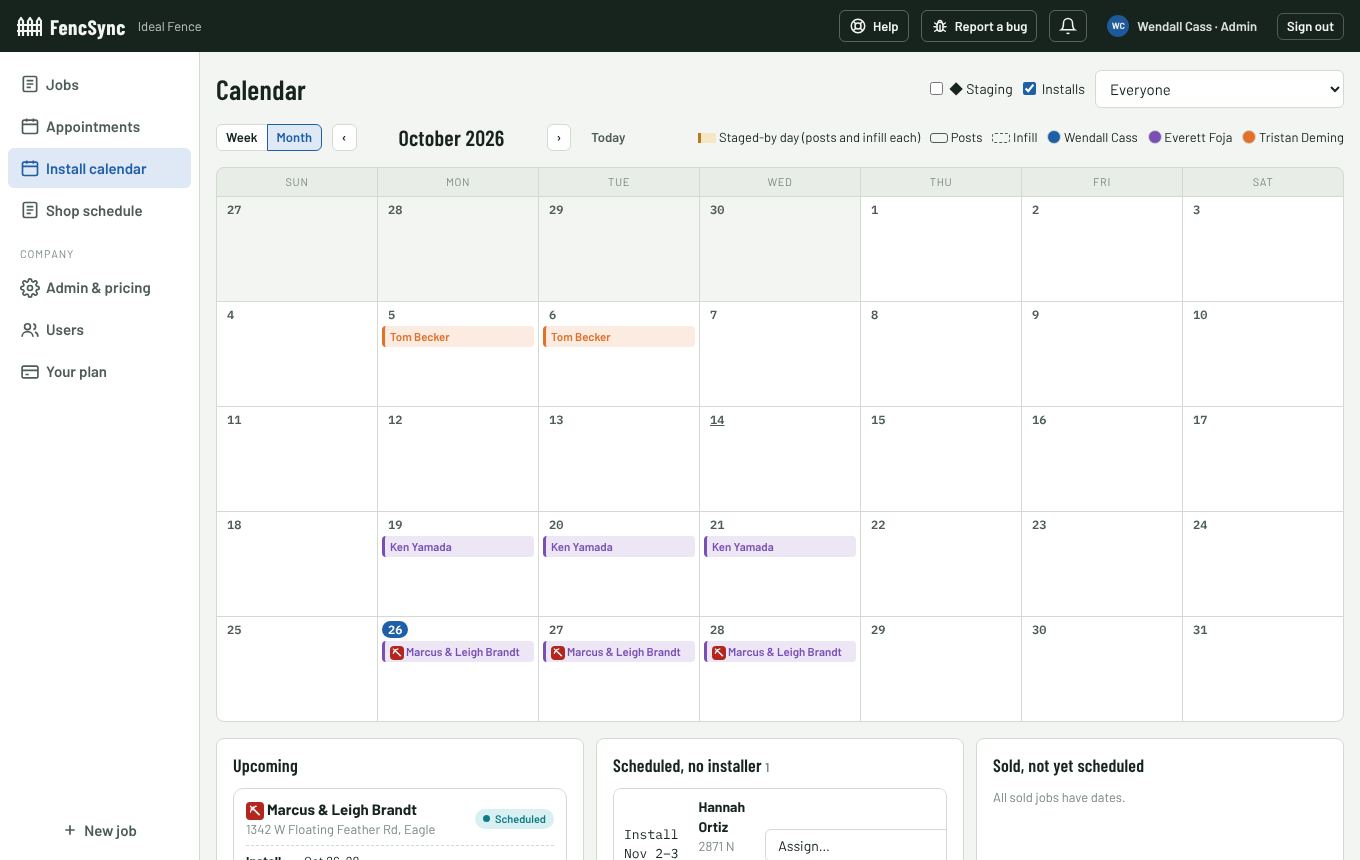
Schedule sold jobs in two phases, posts then infill, and assign installers. See what's scheduled, what still needs an installer and what's sold but not booked, with dig-line reminders before the posts go in.
- Appointments calendar for estimates
- Each installer's availability, weekdays and seasons
- Notifications when jobs are sold, scheduled or changed
The rest of the business, handled
QuickBooks Online
Turn a sold job into a QuickBooks invoice, matched to the right customer and items, and see when it's paid.
Roles and permissions
Admins, finance, office, salespeople and installers each see what they need. Salespeople see their own jobs; costs stay with the people who should see them.
Offline in the field
Save a job's map before you go. Draw and quote with no signal; FencSync uploads your changes when you're back online.
Your own sign-in page
Your logo and colors on yourcompany.fencsync.com, on quotes and through the app. New staff join with a company code.
Comments and photos
Keep notes, site photos and the job's history on the job, where the whole team can find them.
Private and secure
Each company's data is kept apart in the database itself. Two-factor sign-in and an audit log of changes are built in.
From first visit to final invoice
- DrawFind the address and trace the fence on the satellite map, on site or from the office.
- QuotePick styles and options. FencSync prices it from your price book.
- ApproveSend a secure link. The customer accepts and the job moves to Sold.
- Build and billSchedule the crew, stage the shop and send the invoice to QuickBooks.
Start free. Pay for what you use.
One base plan, then turn on the modules and add-ons your company needs. Billed monthly.
Free trial
Everything included, so you can run real jobs before you decide.
- Every module and add-on
- Your whole team
- No card needed
Base plan
Everything a fence company needs to measure, quote and sell.
- Map layouts and diagrams
- Materials lists and quotes
- Online quote approval
- Appointments calendar
- 3 seats included, more as you grow
Modules and add-ons
Add them when you need them.
- Shop Module: shop lists, staging and the shop schedule
- Installer Module: crews, availability and install phases
- Text Notification: text reminders to customers (coming soon)
- QuickBooks Sync: invoices and payments
Questions fence contractors ask
What is FencSync?
FencSync is fence estimating and job management software for fence companies. You draw the fence on a satellite map, and FencSync works out the posts, panels, gates and materials, prices the quote, and carries the job through scheduling, shop staging and invoicing.
What kinds of fence does it handle?
Any style you sell: vinyl, wood, chain link, aluminum, ornamental and more. You set up your own fence styles, heights, section widths, post types, gates and prices, or import them from a spreadsheet.
Does it work on a phone or tablet in the field?
Yes. FencSync runs in the browser on phones, tablets and computers, and can be installed to the home screen. You can save a job's map before you go and keep drawing with no service; changes upload when you're back online.
Can customers approve a quote online?
Yes. Send the quote as a secure link by email. The customer can compare the options you gave them and accept one, and the job moves to Sold.
Does FencSync connect to QuickBooks?
Yes. FencSync connects to QuickBooks Online to create the invoice from a sold job, match or create the customer, map your fence items to QuickBooks items, and show when the invoice is paid.
How much does it cost?
Every company starts with a 14-day free trial with all modules and add-ons included, and no card needed. After that you pay for the base plan plus the modules and add-ons you want, billed monthly. Email support@fencsync.com for current pricing.
Is my company's data private?
Yes. Each company's jobs, customers and prices are kept separate in the database itself, not just hidden in the app, and you choose what each person on your team can see and change. Two-factor sign-in is built in.
Quote your next fence in minutes
Set up your fence styles and prices, draw a job, and see the quote. Your first 14 days are free.